
| Exporter, Wholesale, Manufacturer | |
| Tehran |  |
| +989122003350 | |

- Price :negotiated
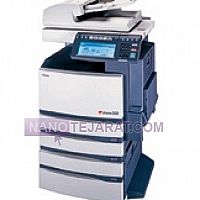
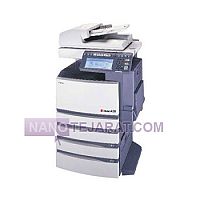
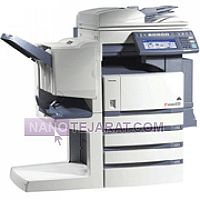
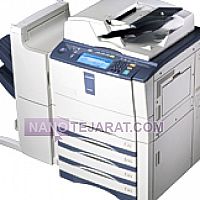
toshiba estudio 453 , Iran
- Price :To negotiate
- order by whatsapp
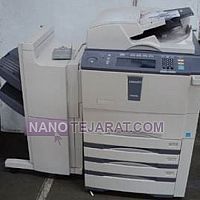
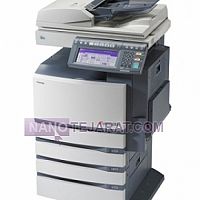
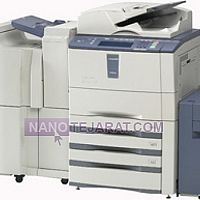
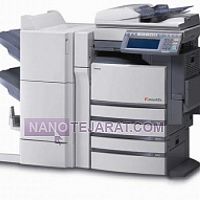
The Toshiba e-STUDIO 453 is a monochrome digital laser copier suitable for medium to large offices. Printing speed is 45 pages per minute, with 600 × 600 dpi resolution ensuring clear and consistent image quality. Standard paper tray capacity is 550 sheets, with a multipurpose tray holding 100 sheets. Internal memory is 512 MB, and the 600 MHz processor ensures smooth operation for high-volume printing. Power consumption ranges from 1.2 to 1.5 kW, operating at 220V AC.
Structurally, the device includes a drum unit, toner tank, fuser heater, transfer rollers, and a steel frame. Shafts and bearings are wear-resistant, with a monthly duty cycle up to 60,000 pages. Temperature control, safety sensors, and internal cooling mechanisms ensure stable and consistent printing performance. This design guarantees high image quality, uniform printing, minimal toner waste, and full compatibility with official Toshiba toner.You can order and buy toshiba estudio 453 from Iran by contacting us through whatsaap and email.
WEBSITE: toshiba estudio 453 Iran
Troubleshooting Common Issues in the Toshiba e-STUDIO 453 Copier
عیبیابی مشکلات رایج دستگاه کپی توشیبا e-STUDIO 453
دستگاه کپی توشیبا e-STUDIO 453 ممکن است با مشکلات چاپ، اسکن یا تغذیه کاغذ مواجه شود. خطوط سفید یا سیاه روی چاپ، سایهدار شدن تصاویر یا لکه تونر معمولاً به فرسودگی درام، بلید یا هات رولر مرتبط است. گیر کردن مکرر کاغذ اغلب ناشی از کثیفی رولرها، نوارهای تغذیه یا تنظیم نادرست کشوهاست. کاهش وضوح چاپ و چاپ کمرنگ ممکن است به دلیل تونر یا دولوپر غیر اصلی و یا مشکلات پرس و فیوزینگ باشد. خطاهای نرمافزاری یا اتصال شبکه نیز میتوانند مانع اسکن، چاپ یا ارسال فکس شوند. تمیزکاری دورهای، استفاده از قطعات و تونر اصلی و بررسی تنظیمات دستگاه، بسیاری از این مشکلات را برطرف و عملکرد دستگاه را بهبود میبخشد.
English Translation
Troubleshooting Common Issues in the Toshiba e-STUDIO 453 Copier
The Toshiba e-STUDIO 453 may experience printing, scanning, or paper feed problems. White or black lines, shadowed images, or toner spots are often caused by worn drums, blades, or hot rollers. Frequent paper jams are usually due to dirty rollers, feed belts, or misaligned trays. Reduced print clarity and faded prints can result from non-original toner/developer or fuser and heat roller issues. Software errors or network connectivity problems can also prevent scanning, printing, or faxing. Regular cleaning, using original parts and toner, and checking device settings resolve many issues and improve performance.